
Genesee County Traffic Case History
MiCOURT Case Search is the public route into the Genesee County register of actions. It works for traffic cases with a participating public record. Case history, court location, visible events, and hearing settings all show up there. ePAY plays a different role. That system handles the ticket lookup and eligible payments, not the whole file. Treat the two as separate tools. Before reading any result, select the 67th District Court. Enter the ticket or case number where you have one. A public case history carries privacy and display limits. Copies, certifications, and anything not online still require a request to the court that keeps the traffic case.
Genesee County Traffic Court Records
In Genesee County, traffic and civil-infraction matters live mostly in the 67th District Court's records. The court can hold the citation. It also keeps the public case history, the hearing setting, and the final court disposition. Its docket reaches misdemeanors, limited civil cases, small claims, and felony preliminary proceedings too. So sort a traffic matter from other district records with the ticket number, case type, and issuing court. MiCOURT Case Search covers public case history. Michigan ePAY serves as an official ticket lookup and payment route for eligible matters. The two do different jobs. The 67th District Court official site lays out the local district-court context. A MiCOURT result can expose public ROA information and settings where available. ePAY returns ticket-specific search and payment details. Neither one promises that every document, court note, or payment detail will be on public display.
Genesee County Traffic ePAY Search
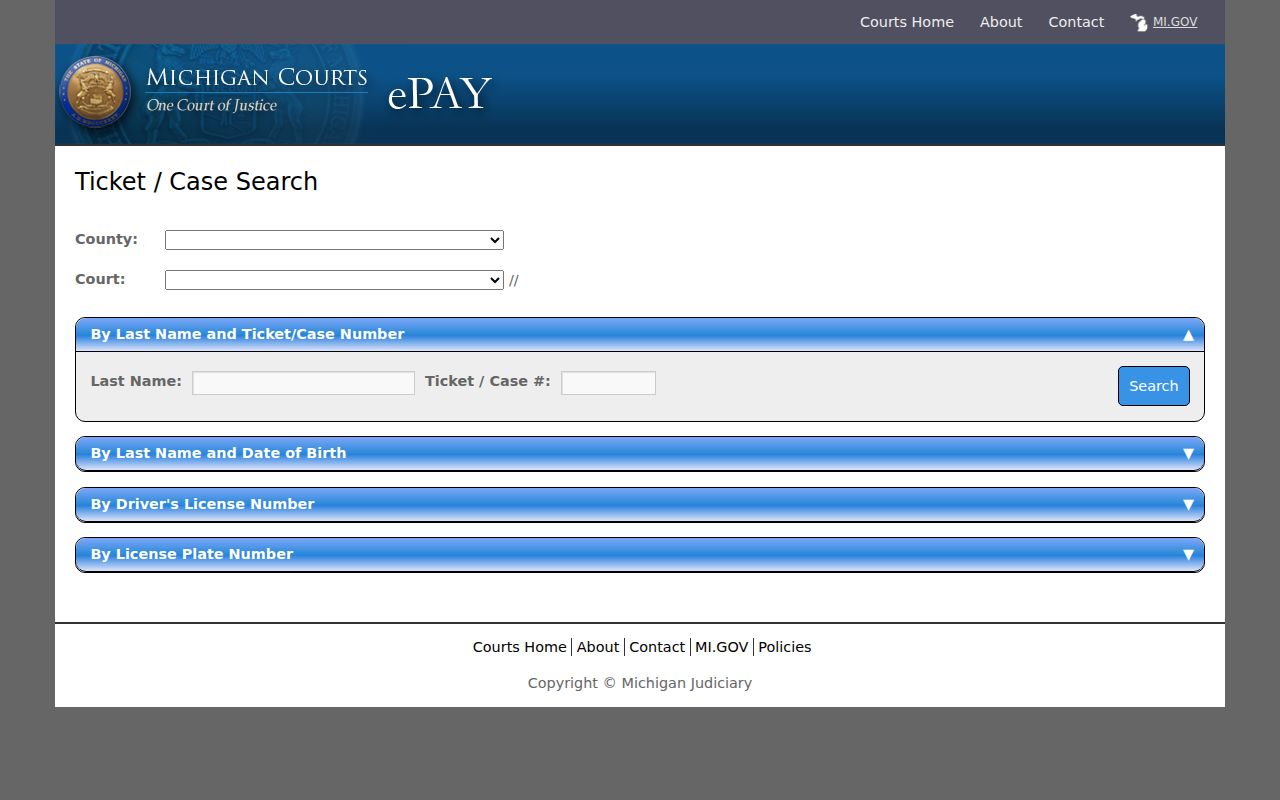
The official Michigan ePAY ticket search opens with a county and court choice. From there it offers four distinct ways to find an eligible ticket. Stick to identifiers from the citation at hand. Pick the correct state wherever a field asks for one. Never publish personal identifiers pulled from a search.
| Search panel | Fields shown | Use for a Genesee County ticket |
|---|---|---|
| Last Name and Ticket/Case Number | Last Name; Ticket/Case # | The most targeted public option when the citation is in hand. |
| Last Name and Date of Birth | Last Name; date selectors | A fallback when the ticket number is unavailable. |
| Driver's License Number | License number; State | A portal field for locating the ticket, not a substitute for the court case record. |
| License Plate Number | Plate number; State | Another portal search panel when the citation identifiers are incomplete. |
The official ePAY search source walks through the court-selection and ticket-search route for a Genesee County ticket. It shows the search itself, not a completed case outcome.
A ticket missing from the online search still belongs to the issuing court. Call or visit the counter. An ePAY miss never proves the citation went unfiled.
Looking Up a Traffic Ticket
Start with the issuing court and the citation or case number. The 67th District Court covers the whole county. Its geographic divisions still govern assignment under the local assignment order. The official ePAY directory keeps legacy division contact listings for Burton, Central, Davison, Fenton, Flint, Flushing, Grand Blanc, and Mt. Morris. The Flushing satellite facility closed in 2025. So did the Mt. Morris satellite. Verify any legacy office listing before making the trip.
- Select Genesee County and the issuing court in the official ePAY search, then use the ticket/case number and last name when available.
- If the citation number is unavailable, use the public last-name and date-of-birth panel or another available ePAY search panel.
- Use MiCOURT Case Search to look for the public case history and register of actions, with the proper court selected.
- Call the relevant 67th District division or central office for a ticket that is not posted, a close deadline, or a current hearing confirmation. Central is listed at 810-257-3170, while the district number in the assignment order is 810-424-4390.
- Visit the Records Department or use its form by mail, email, or fax when a court copy or record review is needed. Confirm the current location before travel.
ePAY and MiCOURT are handy online channels. They cannot replace a call, a trip to the public counter, or the 67th District Records Department when a ticket has not posted or you need a record copy.
Genesee County Traffic Ticket Results
An ePAY result can display the court, ticket number, name, and plate and state. It may also show the issue date, violation, amount, a selection control, and Add To Cart. Those fields help you confirm the right citation. They are not a full court file. A visible amount is also not an unpublished countywide fine schedule. The official ePAY results page connects the public result fields to a Genesee County ticket lookup. It names no actual person and decides no case.
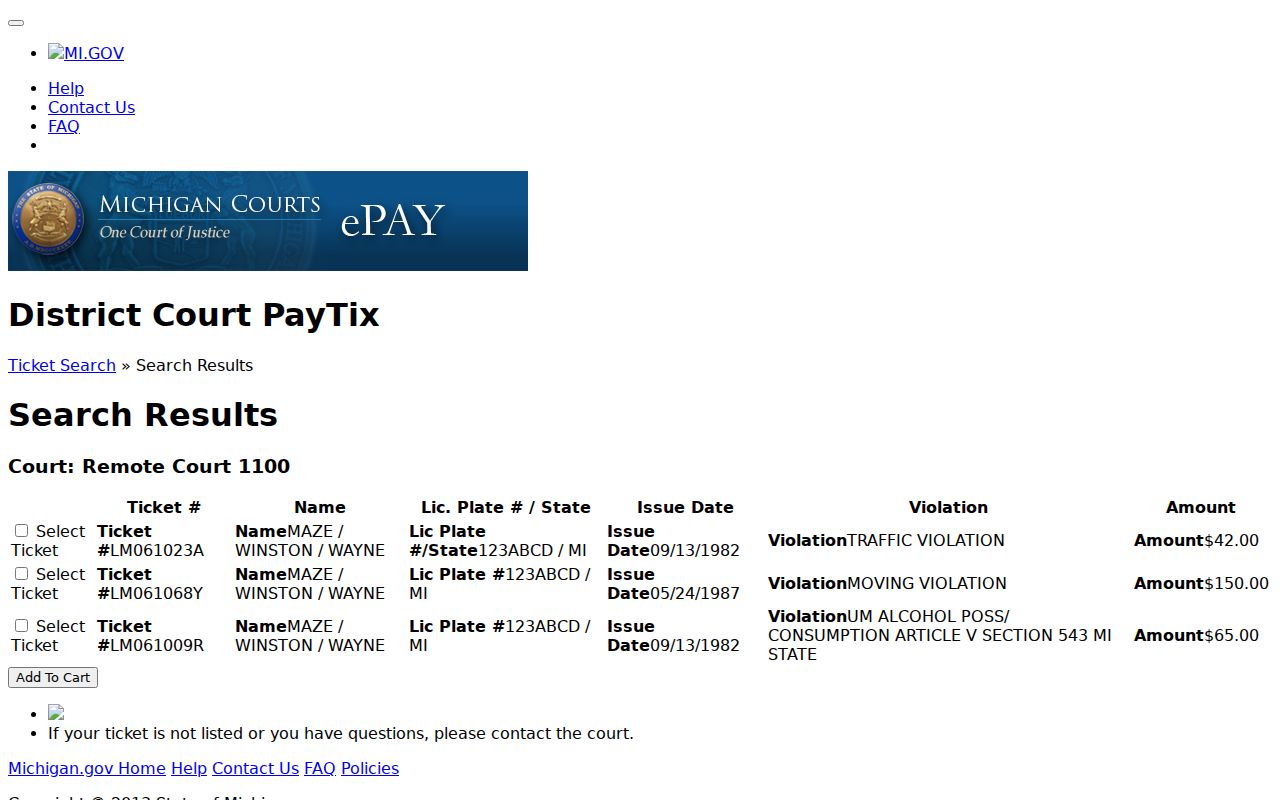
Match the court and ticket number against the citation before selecting anything. If the court label, amount, or citation details look off, contact the issuing court. Genesee County publishes no single current fine schedule, so trust the amount shown by the court system over any estimate.
How to Find Your Traffic Court Date
The citation may list an answer or appearance deadline. A public case entry or Court Display can show a scheduled setting. A later entry can reset, remove, or change that setting. For a hearing coming up soon, confirm with the 67th District Court. Do not trust an old ticket printout or calendar screen. The public schedule aids date research, but it does not prove a hearing happened.
| Citation or case number | Use the number printed on the ticket. A synthetic format such as TICKET-0000 is an example only, not a real Genesee County citation. |
|---|---|
| Court or division | The issuing 67th District Court location or division shown by the court system. |
| Date and time | The planned answer, hearing, or court setting. It can later move or be removed. |
| Room or hearing label | The visible calendar field, where supplied. Verify it for a same-day appearance. |
| Case status | A public court label such as filed, scheduled, default, or disposed. Read the exact ROA entry and date. |
Need broader calendar help? The Genesee County Court Dates page covers MiCOURT Court Display, settings, and same-day confirmation. A traffic date stays a district-court matter unless the case record points to another court.
Genesee County Traffic Payment Warning
Think twice before you click Pay. The ePAY notice states this plainly. Paying a ticket admits responsibility, waives a hearing, and enters an appearance. A cart full of buttons is easy to mistake for a harmless preview. It is not. The screen offers several buttons. They are Remove, Clear Cart, Pay Ticket(s), New Ticket Search, and Prior Search Results. One more warning hides in the fine print: a technical outage does not push back your due date.
The ePAY welcome and payment notice spells out all of this for Genesee County tickets. It links the public ticket search to the legal effect the official system describes.
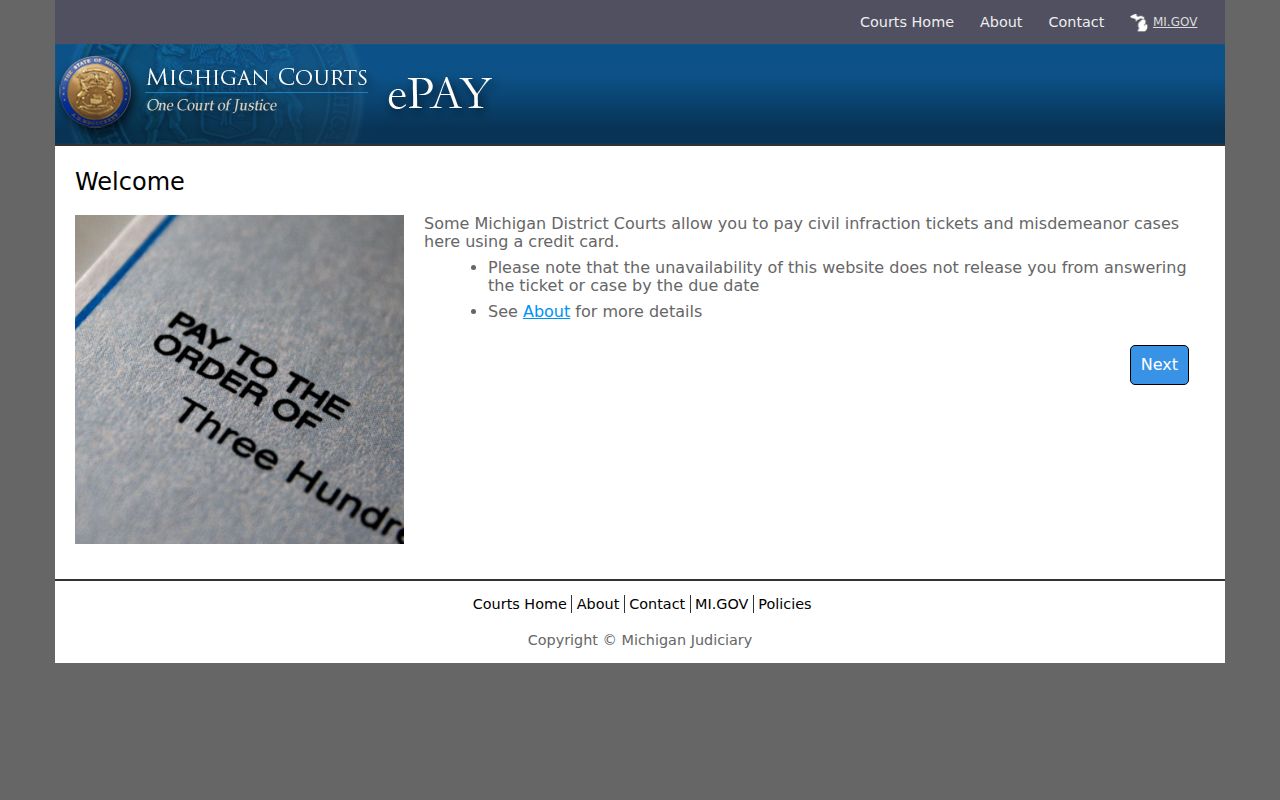
Read the notice the court displays before you select payment. Unsure what to do, or has the ticket set a hearing date? Call the issuing court. A lawyer can advise you too.
Pay or Contest a Ticket
Paying and requesting a hearing are two very different responses. The ePAY notice explains what payment does to an eligible ticket. Want to contest a traffic or civil-infraction matter? Follow the court's process and meet its deadline. Do not assume the payment cart holds a hearing open. The court can identify the right procedure for a case. It cannot give legal advice.
| Response path | What the official sources establish | Practical next step |
|---|---|---|
| Pay through eligible ePAY route | Payment enters an appearance, waives a hearing, and admits responsibility under the portal notice. | Review the displayed court and ticket details before payment. |
| Contest or seek a hearing | Michigan civil-infraction procedure includes hearing paths under MCR 4.101. | Contact the issuing 67th District Court promptly for the current response method and deadline. |
| Need a court copy | A ticket search does not provide every court document or certified record. | Use the 67th District Records request process for review, copies, or a specific court record. |
Do not miss the court response deadline. Under MCR 4.101, failure to answer or appear in a civil-infraction matter can lead to default.
The official court and notice control the case-specific deadline. Contact the court quickly if the listed date or response status is unclear.
Genesee County Traffic Court Defaults
A default is a real court status. It is not just a label on a payment screen. MCR 4.101 sets the civil-infraction framework, covering hearings and what a default brings. A public MiCOURT register of actions may list the citation, an answer or hearing event, and a default entry. Availability depends on what the system exposes.
Missed the boat? SCAO form CIA-04 is the official motion to set aside a default. The form asks for a lot. It wants the court, case, judge, parties, the civil infraction, its date and location, the statute or ordinance, your reason and explanation, any cash bond, a signature, and an order section. The form ties into a 14-day window after notice. Confirm the current court procedure and the notice itself before filing.
Trust the case docket and the court notice. The issuing court says what to do next. An unposted case in the ticket portal does not mean a default was fixed.
Traffic Court Record vs Driving Record
Two records exist here, with two keepers. The Genesee County court traffic record lives in the 67th District Court case file. Its public ROA covers the citation. The Michigan Secretary of State keeps a separate state motor-vehicle record. Neither one substitutes for the other. A ticket result may skip court payment details or state consequences. A state record request will not pull the court's case file.
| Question | Court traffic record | Separate state record |
|---|---|---|
| Custodian | 67th District Court and its records process. | Michigan Secretary of State. |
| Core purpose | Citation, court case history, hearing settings, public ROA events, and court disposition. | State motor-vehicle record maintained separately from the court case file. |
| Correct a court action | Work through the court and, where appropriate, a corrected court abstract. | A generic ePAY edit is not the correction route for a court action. |
| Access route | MiCOURT, ePAY for eligible tickets, and the 67th District clerk records route. | Use the official Secretary of State service for that separate record. |
That split keeps a Genesee County traffic ticket page centered on the court citation, the court date, and the court file. A court-record search never becomes a state motor-vehicle record request.
Genesee County Traffic Court Access
The 67th District Court's central listed address is 630 S. Saginaw Street, Flint, MI 48502. The official assignment order lists the district number as 810-424-4390. The Central listing is 810-257-3170. Call ahead before you drive over. The court can confirm the division, the records counter, and the current location. The 2025 consolidation shut the Flushing and Mt. Morris satellite facilities, though some older local pages still carry legacy information.
Need a traffic case record? Use the 67th District Court records request form. You can request a review, complete-file copies, or a specific record. Mail it to 67th District Court, Records Department, 630 S. Saginaw Street, Flint, MI 48502. Email works too, at 67THHELP@GENESEECOUNTYMI.GOV, or fax it to 810-768-7912.
Note: Confirm the active counter and division with the court before visiting in person. Genesee County service locations changed after consolidation.
Copies and Fees
The 67th District records form sets the published copy charges for court records. It does not list ticket penalties or an itemized payment balance. Two warnings come with it. Nonpublic material cannot be had through a complete-file request. Unclaimed records may also be disposed of after 30 days. Ask the Records Department how payment and pickup work for your request.
| Item | Published amount | What it covers |
|---|---|---|
| Plain court copy | $1 per page per copy | The documented 67th District Court records-request charge. |
| Certified court copy | $11 | The certified-copy charge stated on the 67th District form. |
| Traffic fine or displayed amount | Not a fixed countywide amount in the reviewed sources | Use the issuing court or ePAY result for the actual citation amount. |
The official ePAY cart page shows the eligible-ticket payment flow. Copy fees for court records are a separate matter, set by the 67th District form.
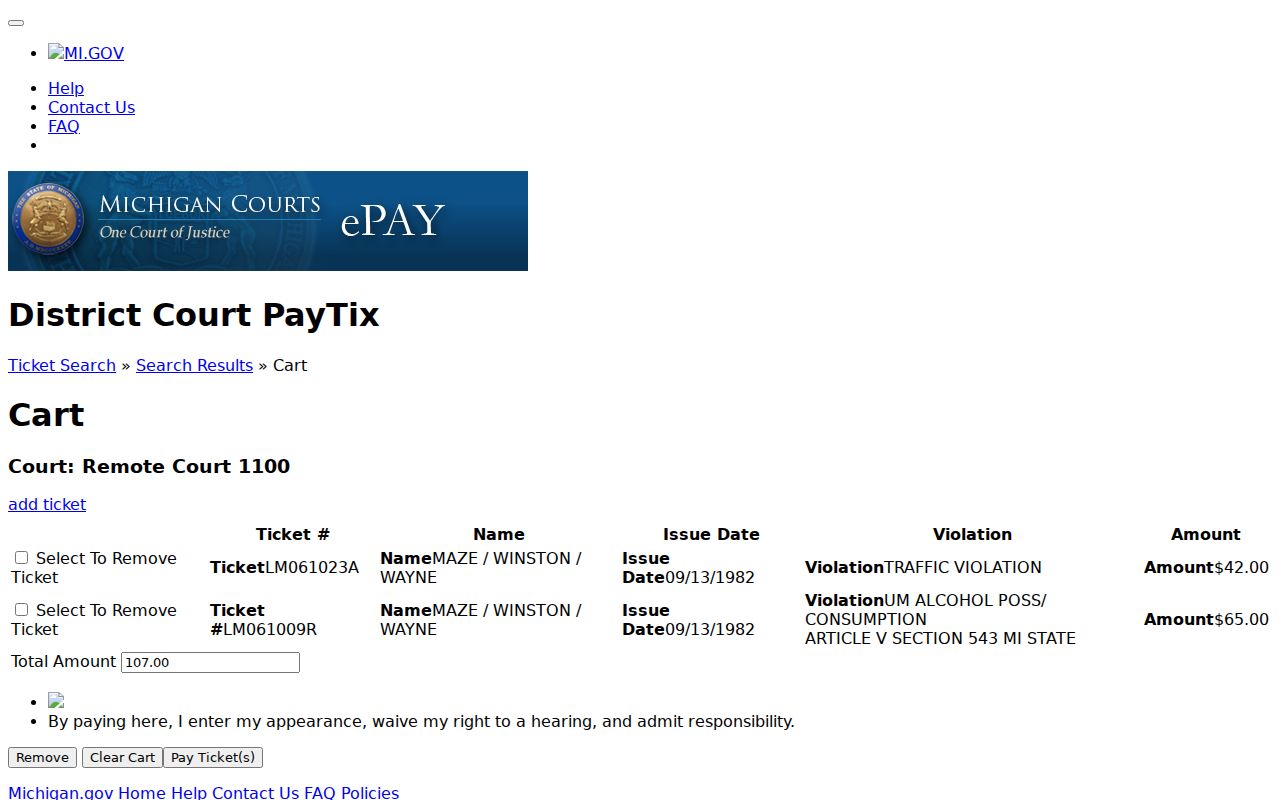
Want the underlying case record rather than the ticket payment screen? Request the copy from the court that keeps it. Michigan FOIA is no shortcut for a judicial case file. MCR 8.119 and the court records process govern access. The court can tell you whether a record is public, available, certified, or held off-site.